
种子时间Seedo
在本地记录电脑使用行为,不只看应用时长,也尝试分辨用户是在写作、浏览、沟通还是分心。Keeps desktop behavior data on the device and looks past app-time charts to show what the user was actually doing.
- 本地优先Local-first
- Windows 桌面端Windows desktop
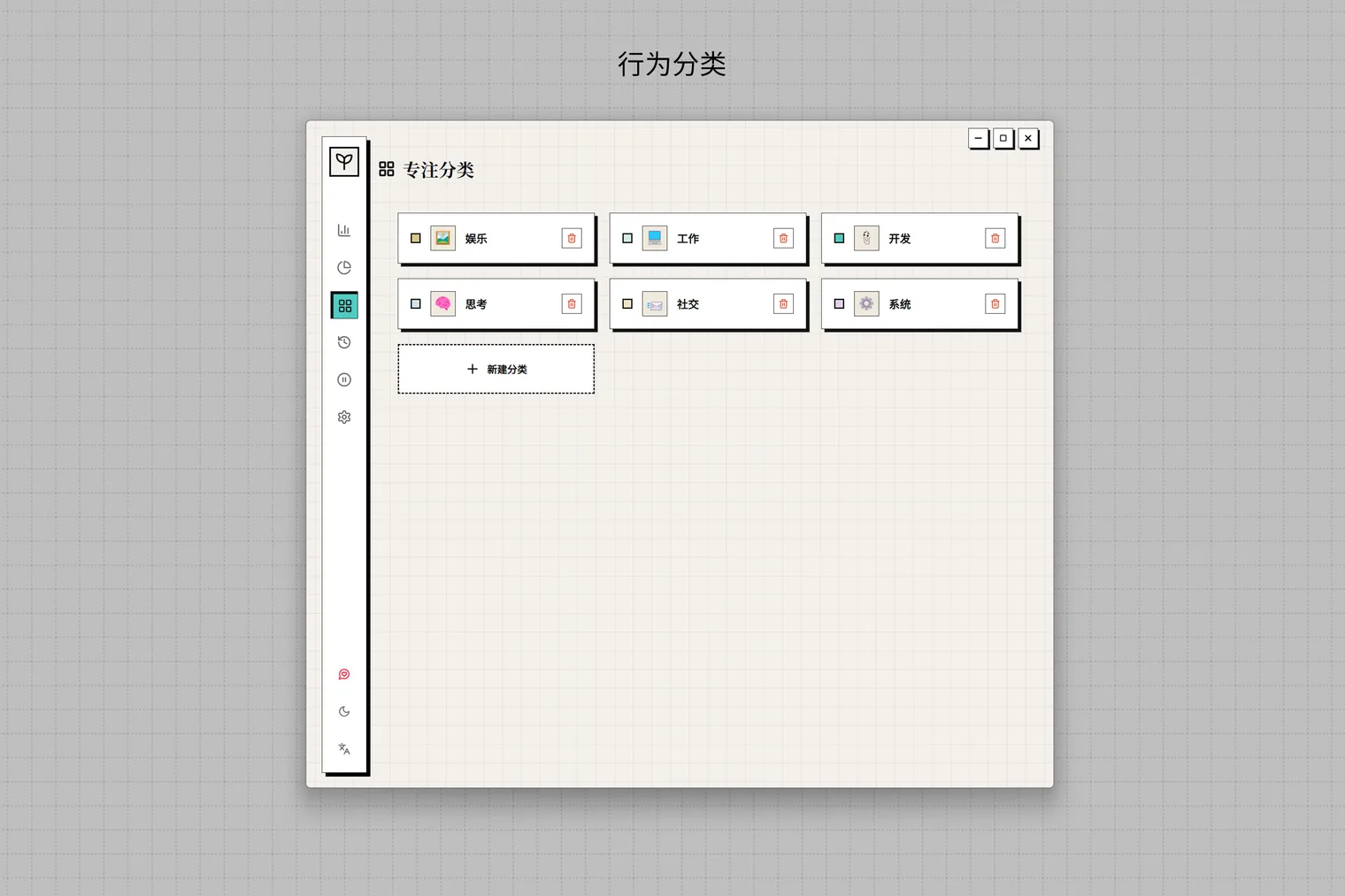
- 行为分类Behavior classification
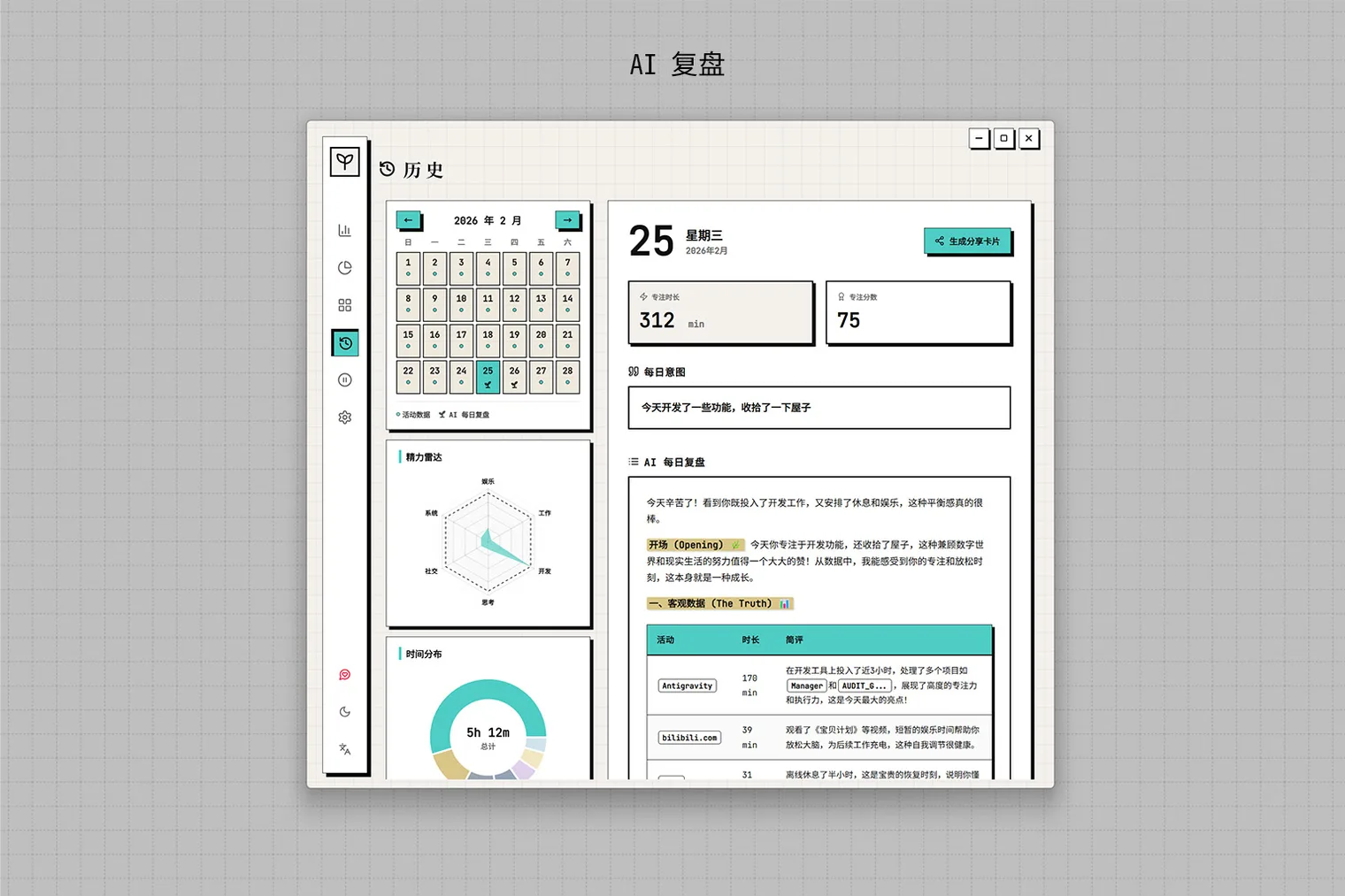
- AI 日复盘Daily AI review
背景与初衷Context
同一个浏览器里可能同时发生写作、学习、沟通和刷信息流。只统计应用名称与时长无法解释注意力去了哪里,而行为数据又足够敏感,需要尽量留在用户自己的电脑上。Writing, learning, communication, and passive browsing can all happen inside the same browser. App duration alone cannot explain where attention went, while the underlying behavior data should remain on the user's computer.
打开项目Open project
可通过下方链接查看当前可访问版本。Open the current version through the link below.
核心痛点Problems
普通时间统计只知道应用开了多久,却不知道用户实际在做什么。Typical time trackers know how long an app was open, but not what the user was actually doing.
- 跨应用、窗口和网页的活动难以还原成连续记录。Activity across apps, windows, and web pages is difficult to reconstruct as one continuous record.
- 会议、午饭等离开电脑的时间容易在时间线上留下空白。Meetings, lunch, and other time away from the computer leave gaps in the timeline.
- 图表能展示数据,却不一定能帮助用户形成下一步行动。Charts can show data without helping the user decide what to change.
处理方式Approach
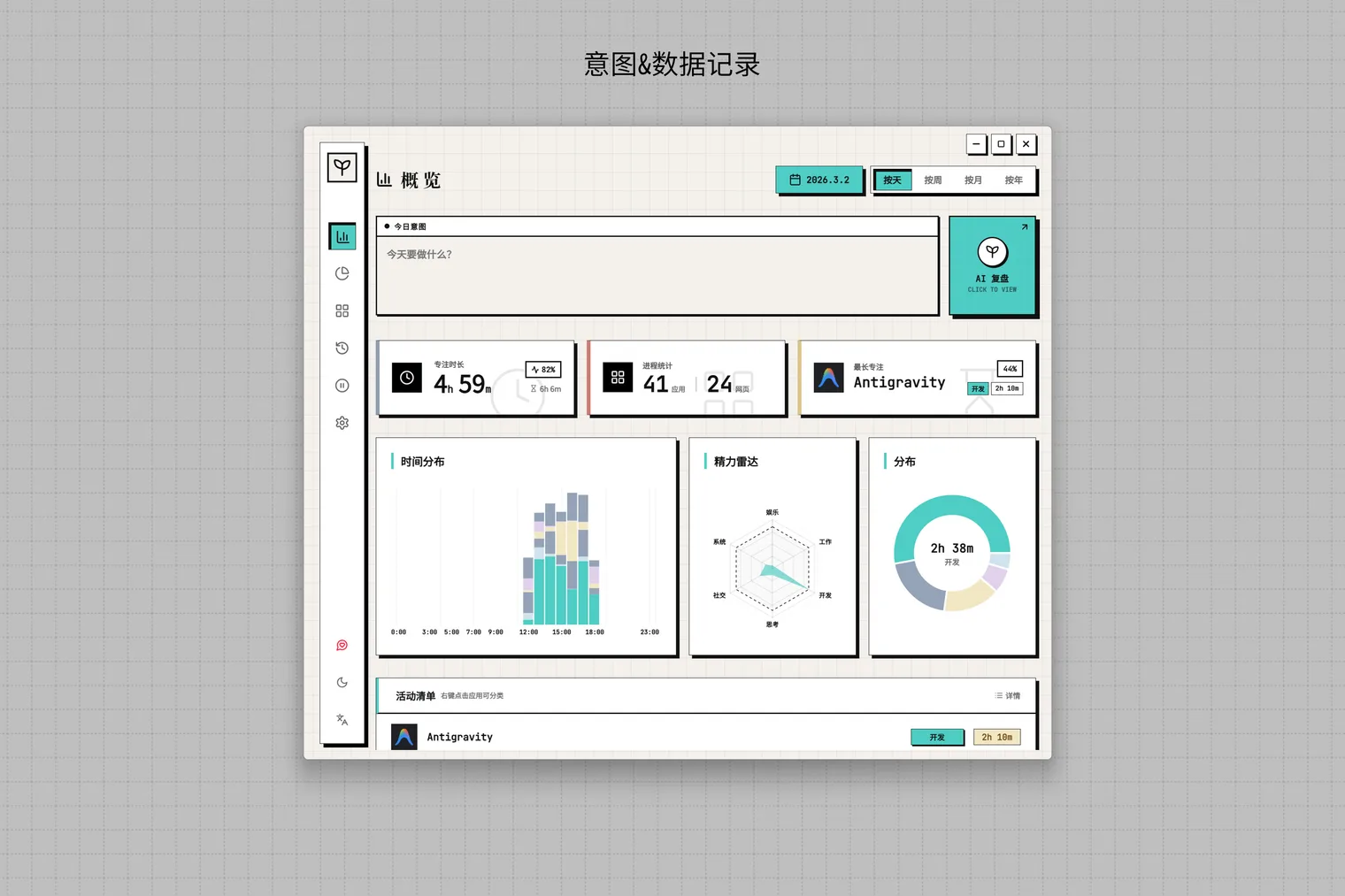
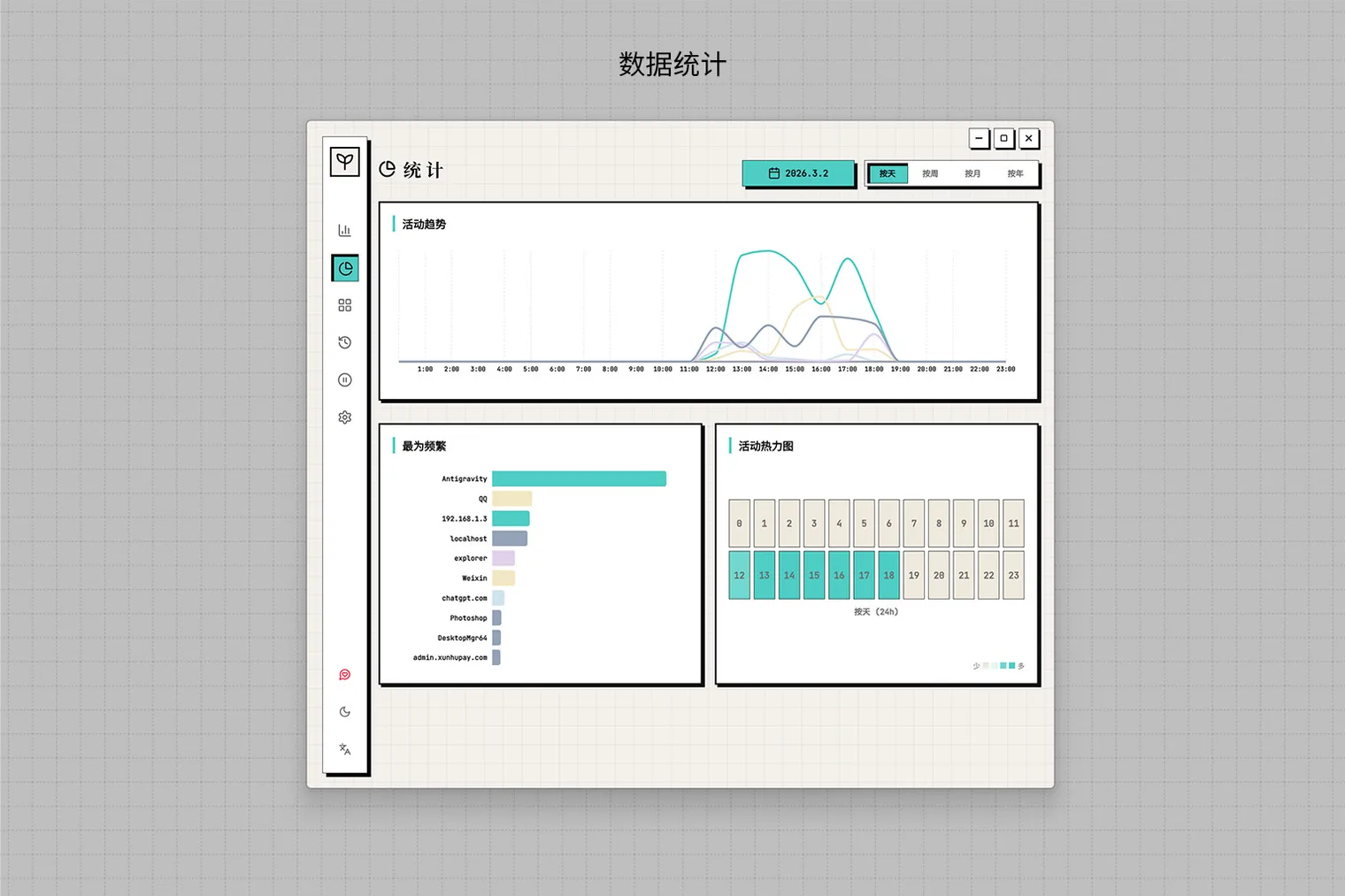
桌面端在后台采集应用和窗口活动,浏览器扩展通过本机接口补充网址与页面标题;分类规则、离线标签、统计与 AI 总结共同组成每日复盘。The desktop app captures app and window activity, while a browser extension adds URLs and page titles through a local endpoint. Rules, offline tags, analytics, and AI summaries form the daily review.
目标Goal
做一个隐私优先的时间镜子,让用户进一步看到自己做了什么、注意力如何分配。Build a privacy-first mirror that shows what happened and how attention was allocated.
产品设计Product design
- 按今天、本周、本月和本年查看应用、网站与分类分布。Inspect app, website, and category distribution by day, week, month, or year.
- 自定义分类、颜色、图标和关键词或进程规则。Create categories with custom colors, icons, keywords, and process rules.
- 通过 AFK 弹窗和离线活动页面补录离开电脑的时间。Use the AFK prompt and offline activity view to record time away.
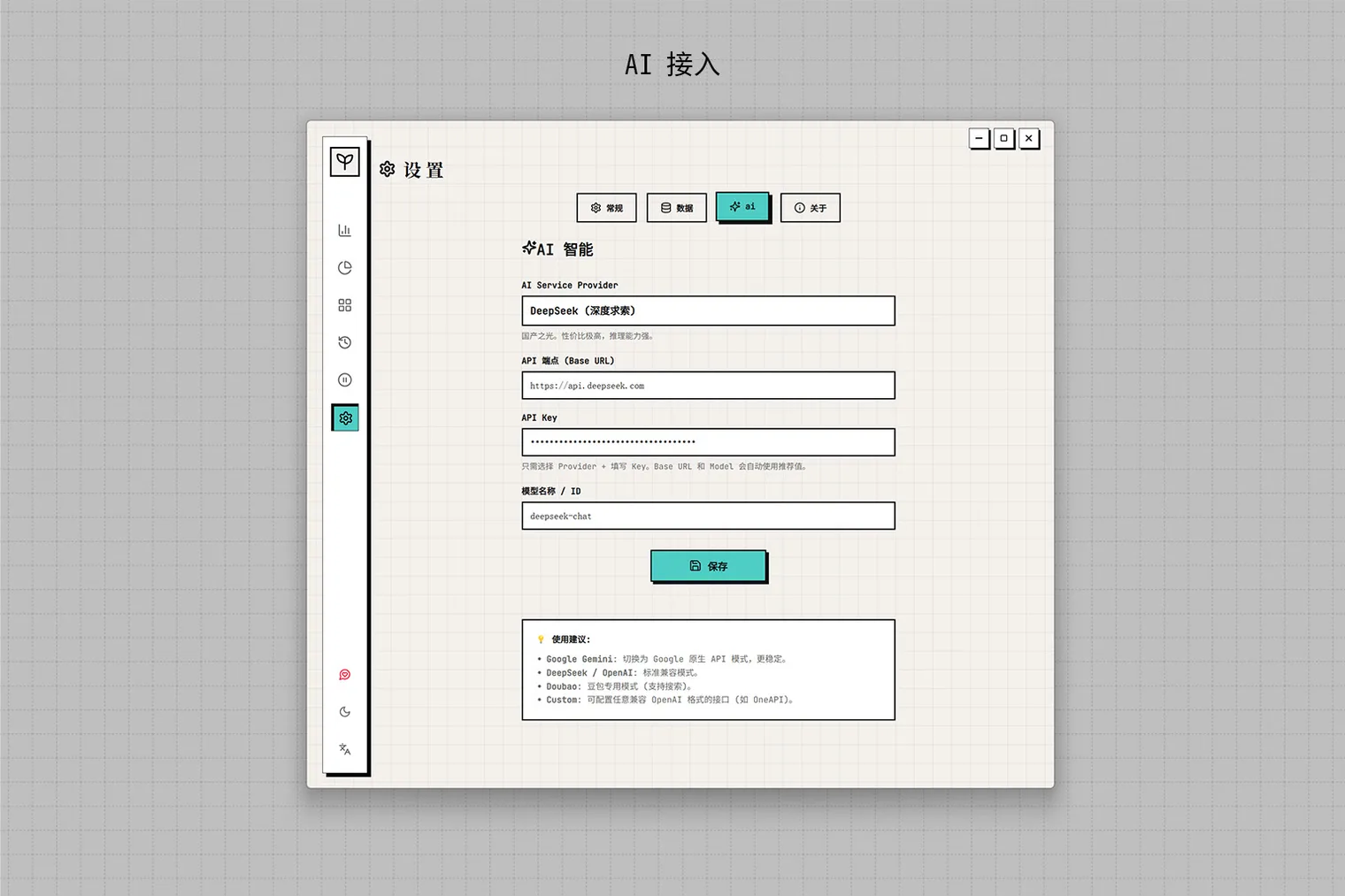
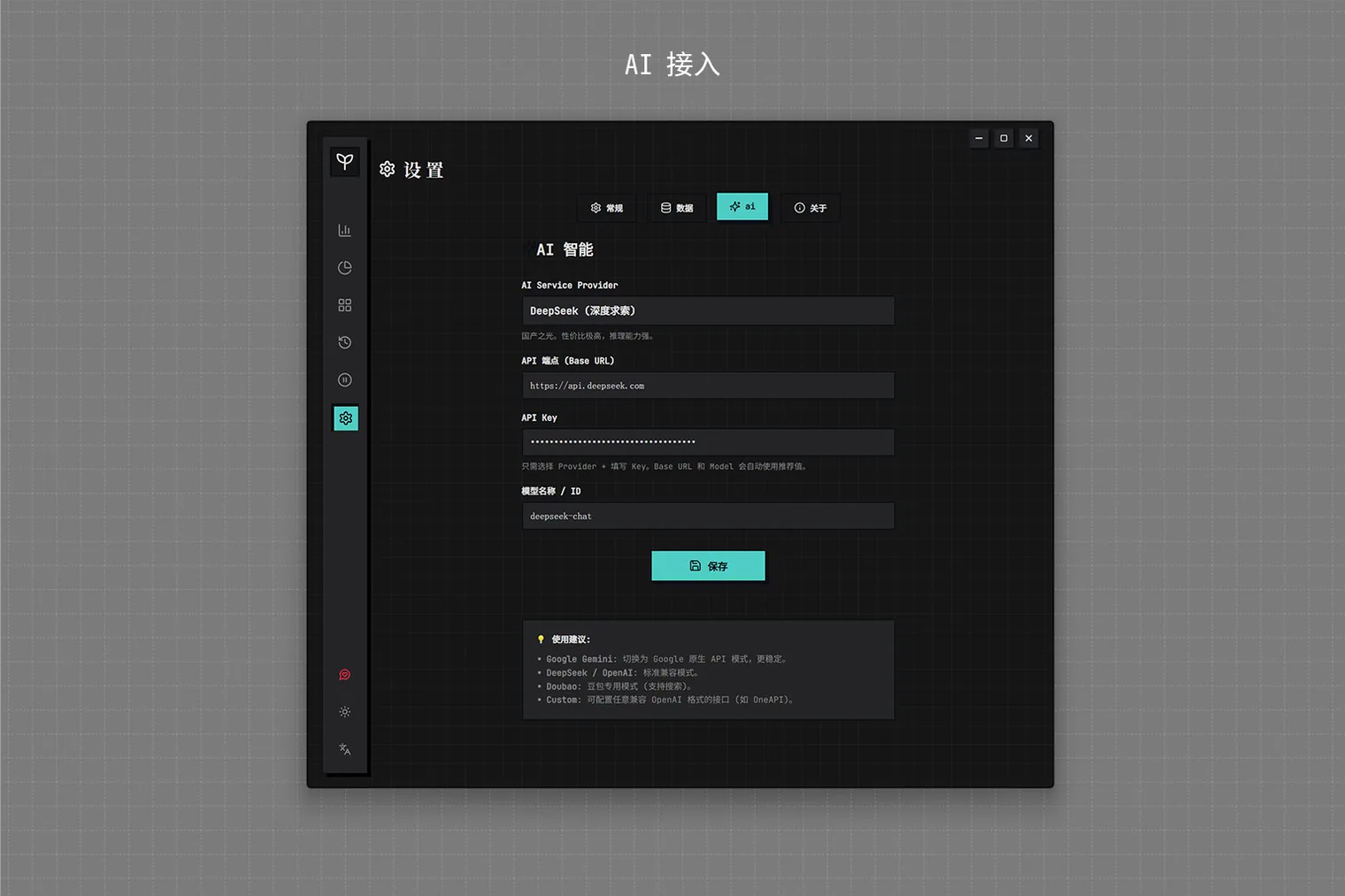
- 结合每日意图、Focus Score、分类图和 BYOK AI 总结回看每一天。Review each day with daily intent, a Focus Score, category charts, and a BYOK AI summary.
技术与实现Build notes
Tauri 与 Rust 负责 Windows 桌面采集,React Web UI 展示数据;Chrome、Edge 或 Brave 扩展把网页上下文发送到 127.0.0.1:16123,主数据保存在本地 SQLite,AI 复盘使用用户自己的模型 API Key。Tauri and Rust provide Windows desktop capture, while a React web UI presents the data. A Chrome, Edge, or Brave extension sends browser context to 127.0.0.1:16123, the primary dataset remains in local SQLite, and AI review uses the user's own provider key.